Powerful Business Systems

The all-in-one Notion system built for Pinterest Marketers and Creators

Everything you need to plan, post, and scale your Pinterest strategy, organized in one beautiful, centralized Notion workspace.
Designed for content creators, business owners, and service providers who want to streamline their marketing and grow with less mental clutter.

Pinterest can be overwhelming. It’s a systems problem.

Pins get published when there’s time.
Ideas get saved but never activated.
Keywords live in one place, hooks in another, tasks somewhere else entirely.
You’re already doing the work.

What’s missing isn’t effort.
It’s a system that creates clarity, rhythm, and direction.
Pinterest Marketing Hub
FEEL CLEAR, CONSISTENT, AND IN CONTROL

Pinterest Marketing Hub changes how showing up on Pinterest feels.

This is a single, structured Notion template system designed to help you plan, create, publish, and grow on Pinterest with clarity and confidence.

  • Plan and schedule Pinterest content clearly
  • Turn ideas, keywords, and hooks into repeatable workflows
  • Track what matters and refine your strategy over time
  • Grow your business through Pinterest with a clear strategy
  • Run your Pinterest strategy with confidence

Everything for Pinterest Marketing, a complete planning system already built for you in Notion

9

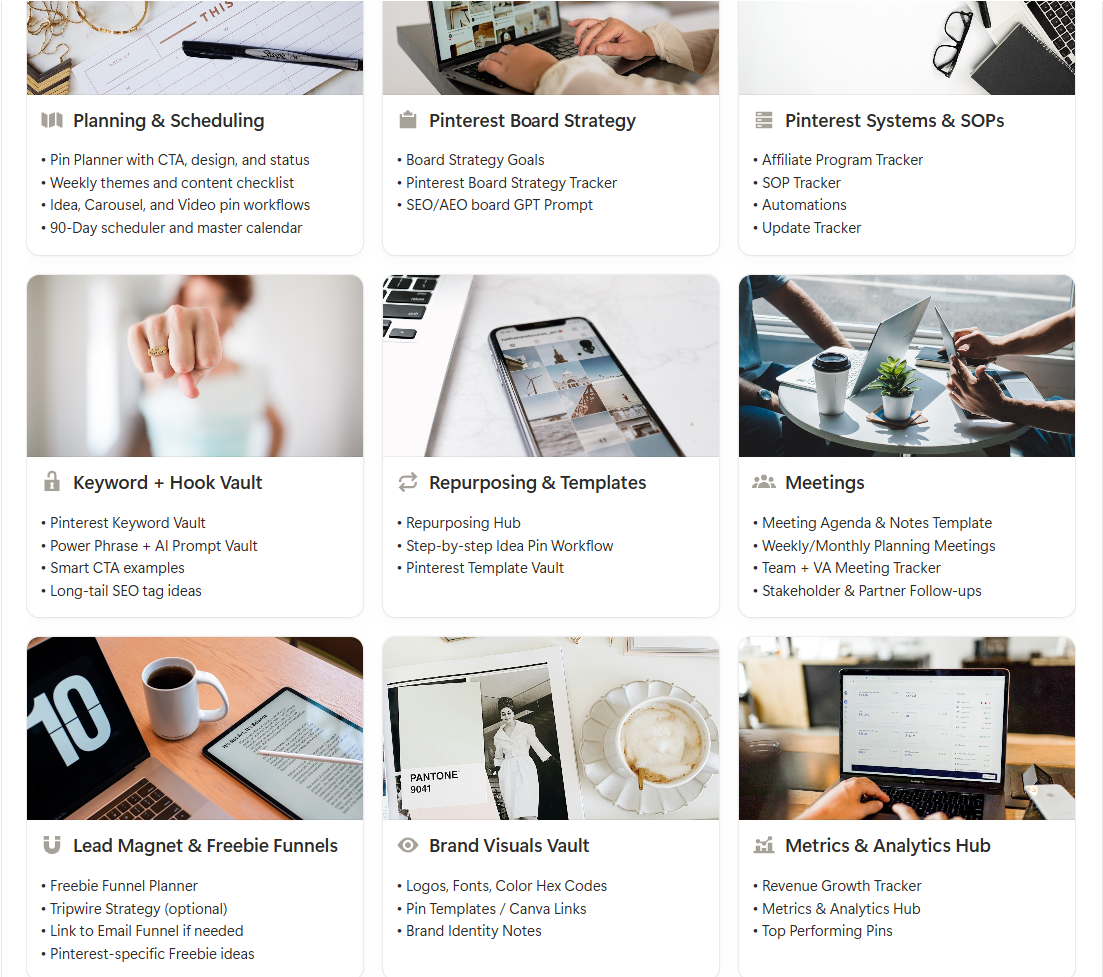
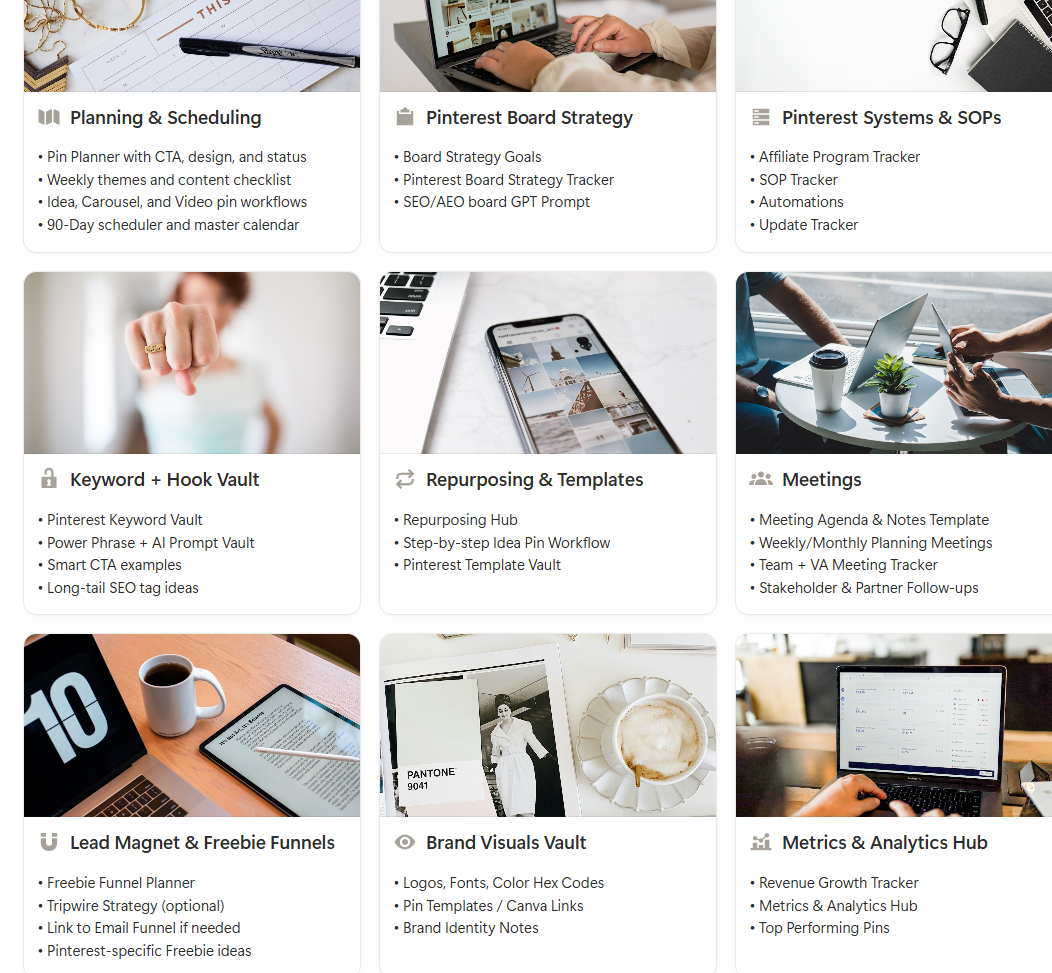
Pinterest Planning & Strategy Hubs

40+

Purpose-built Views & Dashboards

120+

Templates, Workflows & Prompt Frameworks

180+

Custom Properties Configured

50+

AI Prompts Hooks & Optimisation
A complete Pinterest planning system

Why Pinterest Marketing Hub Works

Pinterest Marketing Hub isn’t just about planning pins.
It’s designed to support the wider systems around Pinterest so your strategy stays clear, consistent, and grounded in real business outcomes.
Social media marketing notion template system
Already done

Systems That Stick

Setting up Notion can be overwhelming, so can running a business. This is fully structured and plug-and-play, so you can focus on growth, not setup.
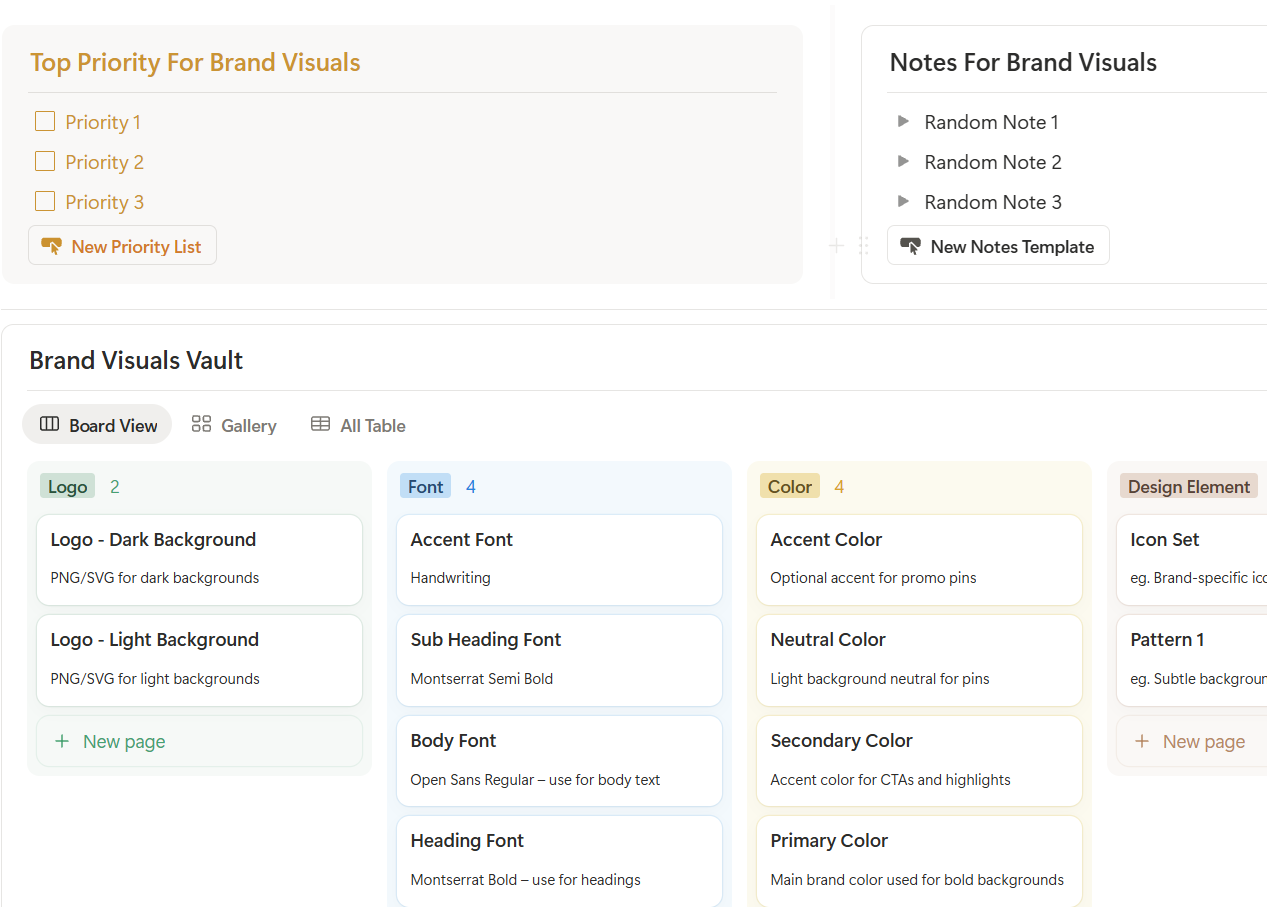
Pinterest Marketing Brand Visuals Vault Notion Template System
brand vault

Built for Real Pinterest Work

Flexible enough for solopreneurs or small teams. Built for evolving businesses that need structure and adaptability. Keep your brand aligned.
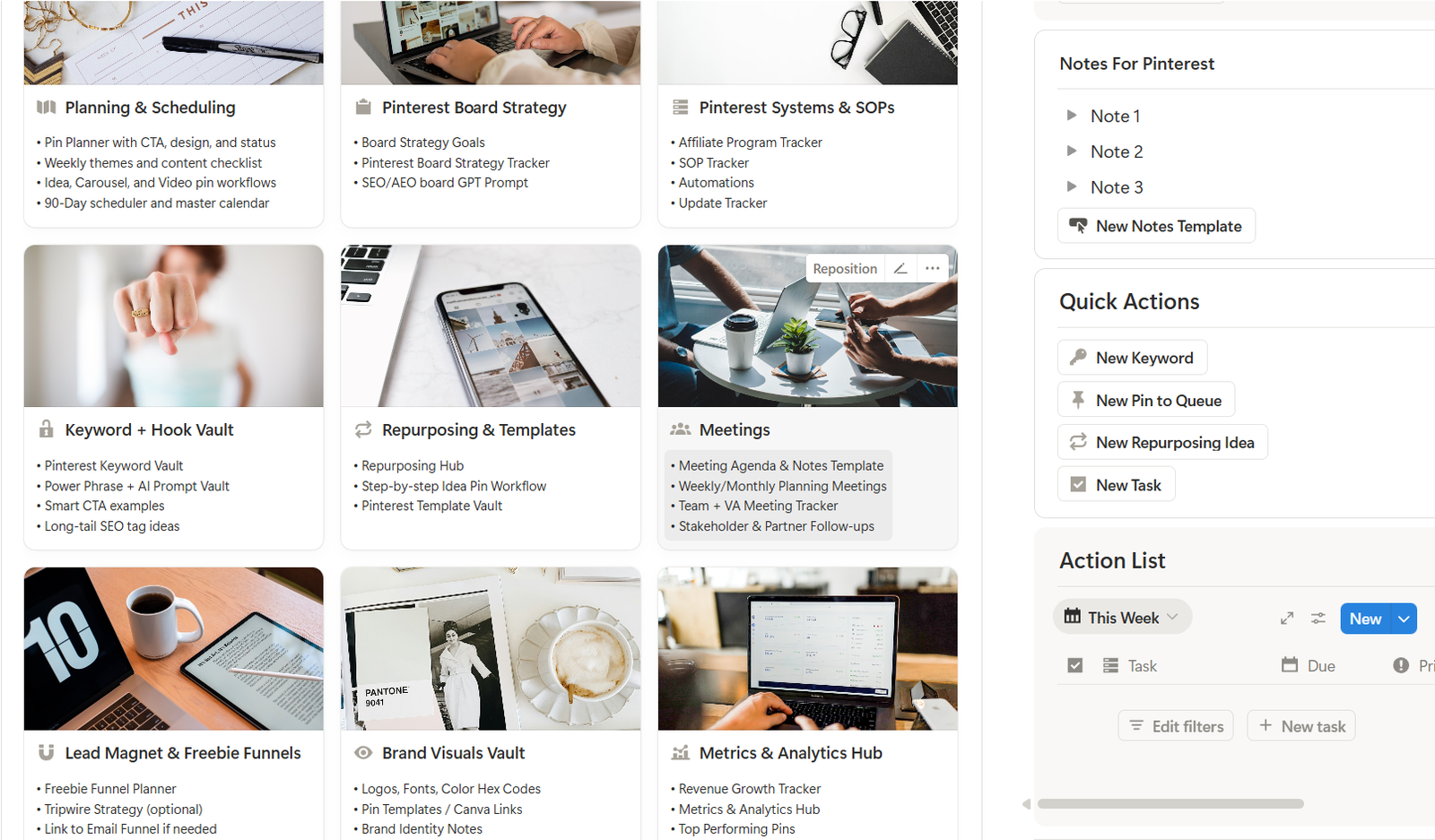
Pinterest Marketing Notion Template System
ALL-IN-ONE

Everything in One Place

No more bouncing between apps or files. This central hub brings your planning, projects, team, and tools together seamlessly.

Structure that supports consistency without daily overwhelm

Pinterest Marketing Hub helps you plan intentionally, review what matters, and make clear decisions without feeling reactive or behind.

This isn’t about doing more.
It’s about having a system that holds your strategy steady as your business grows. Built to support long-term visibility, not short-term posting

Social media marketing notion template system
Planning & Workflow

Plan your Pinterest activity with clarity using structured views for ideas, priorities, and review cycles.
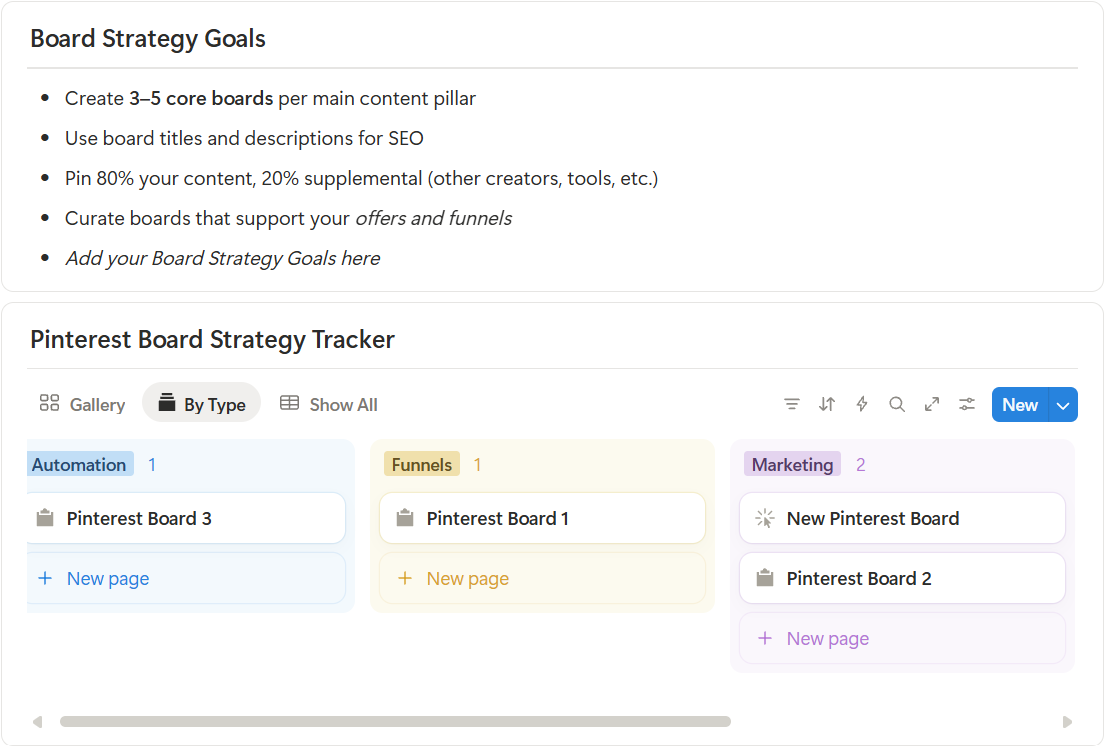
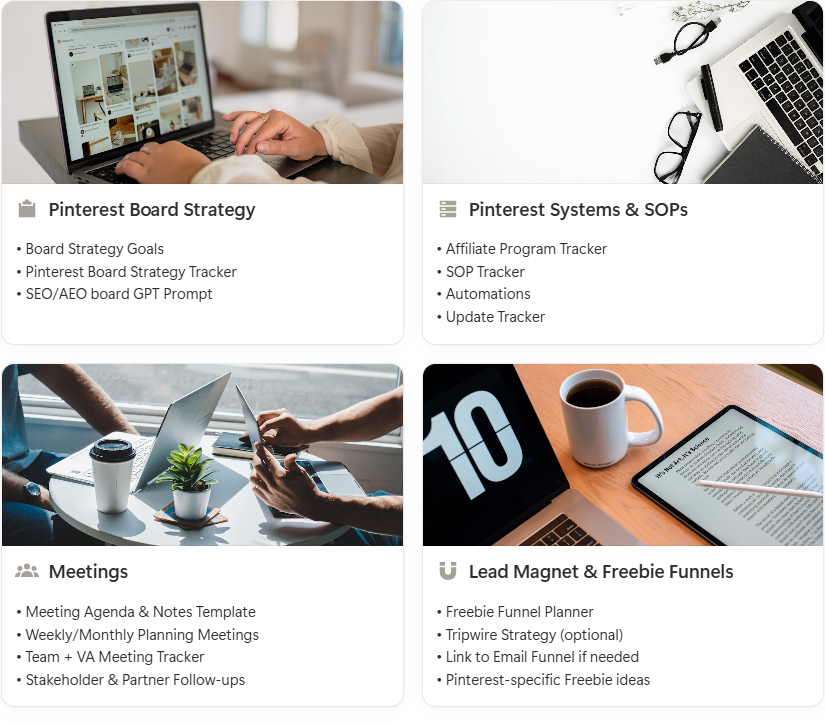
Pin Board Strategy

Define board goals, map keyword intent, and track performance at a strategic level.
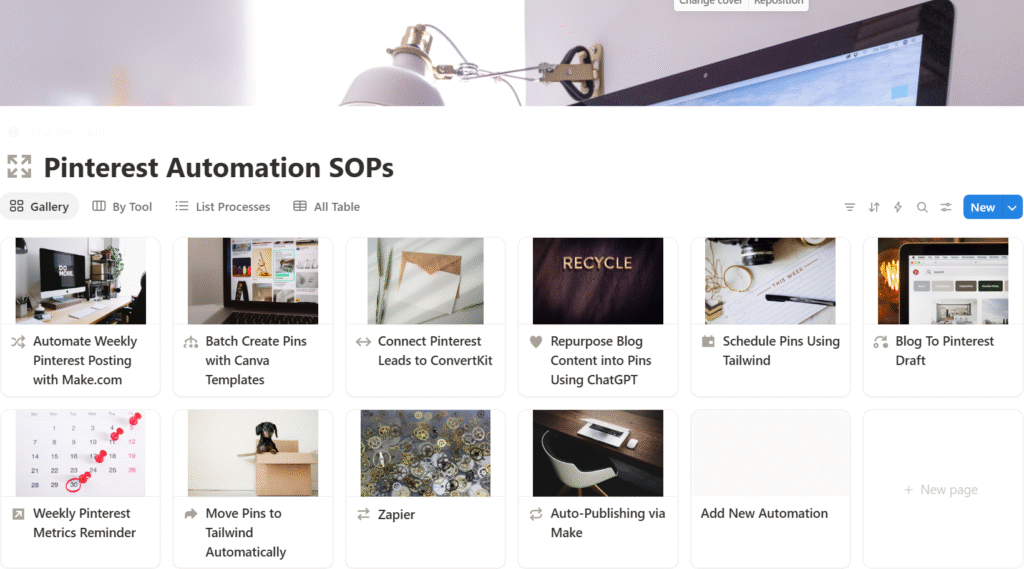
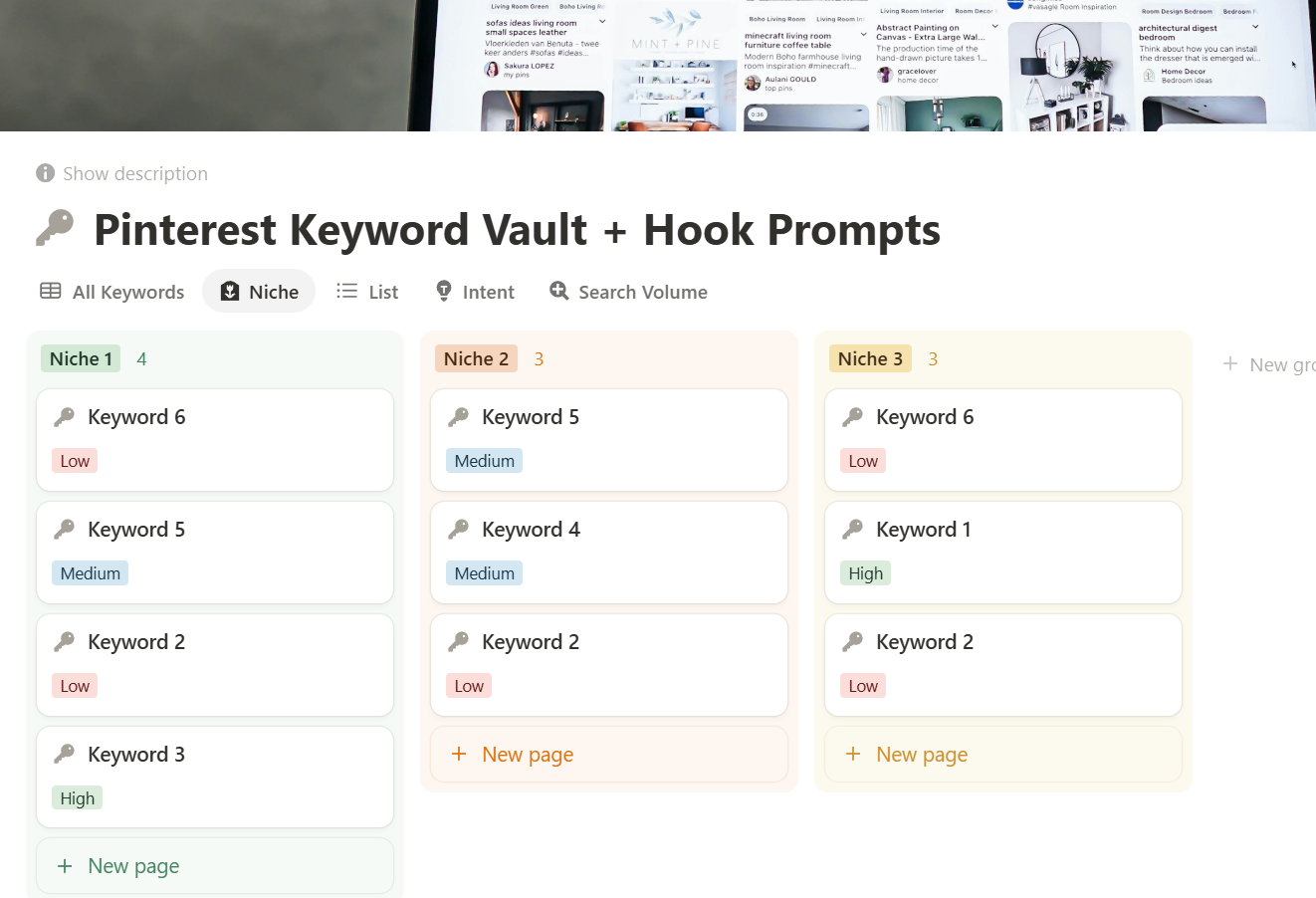
Pinterest Systems & SOPs

Document workflows, updates, and repeatable processes as your strategy evolves so you can delegate & grow.
Details
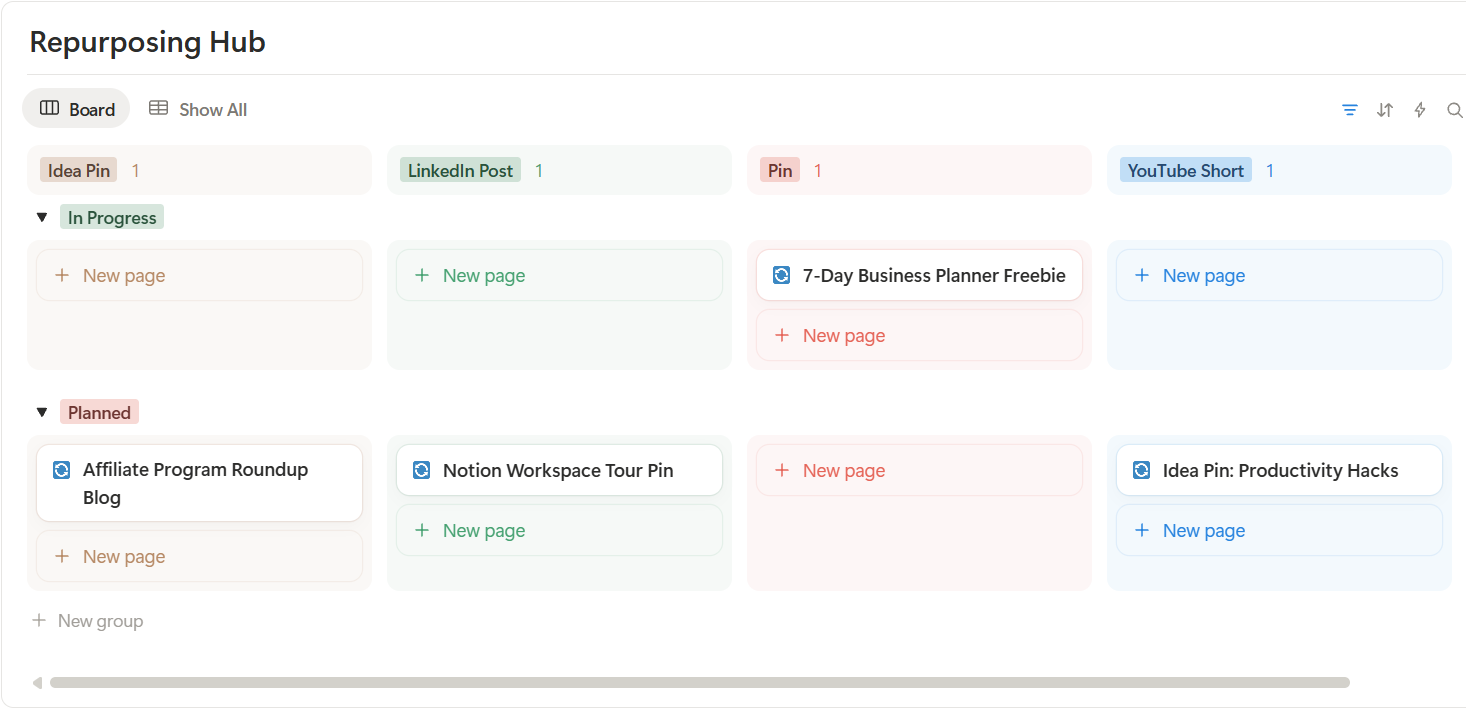
Keywords & Hooks

Organise keyword research, hooks, and AI-supported prompt frameworks in one place. Designed to support smart content decisions.
Details
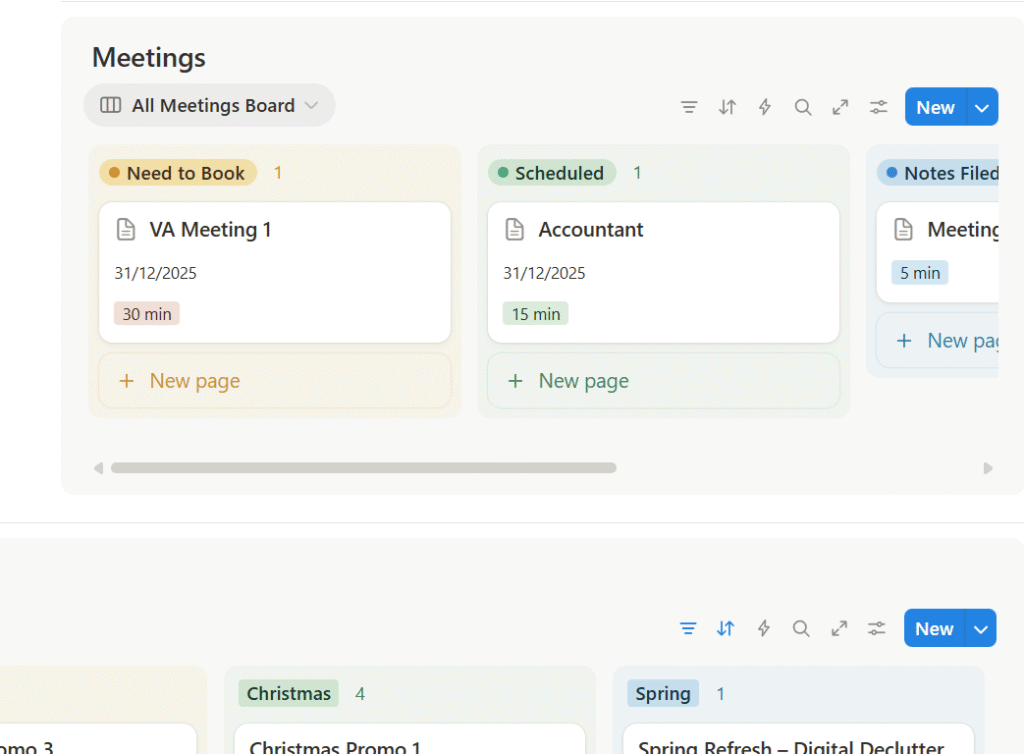
Content & Repurposing

Map ideas into repeatable content workflows.
Supports sustainable content planning across formats and campaigns.
Details
Meetings & Reviews

Review performance, align priorities, and capture clear next steps through regular check-ins and structured reviews.

SYSTEMS YOUR PINTEREST STRATEGY NEEDS

What’s Inside

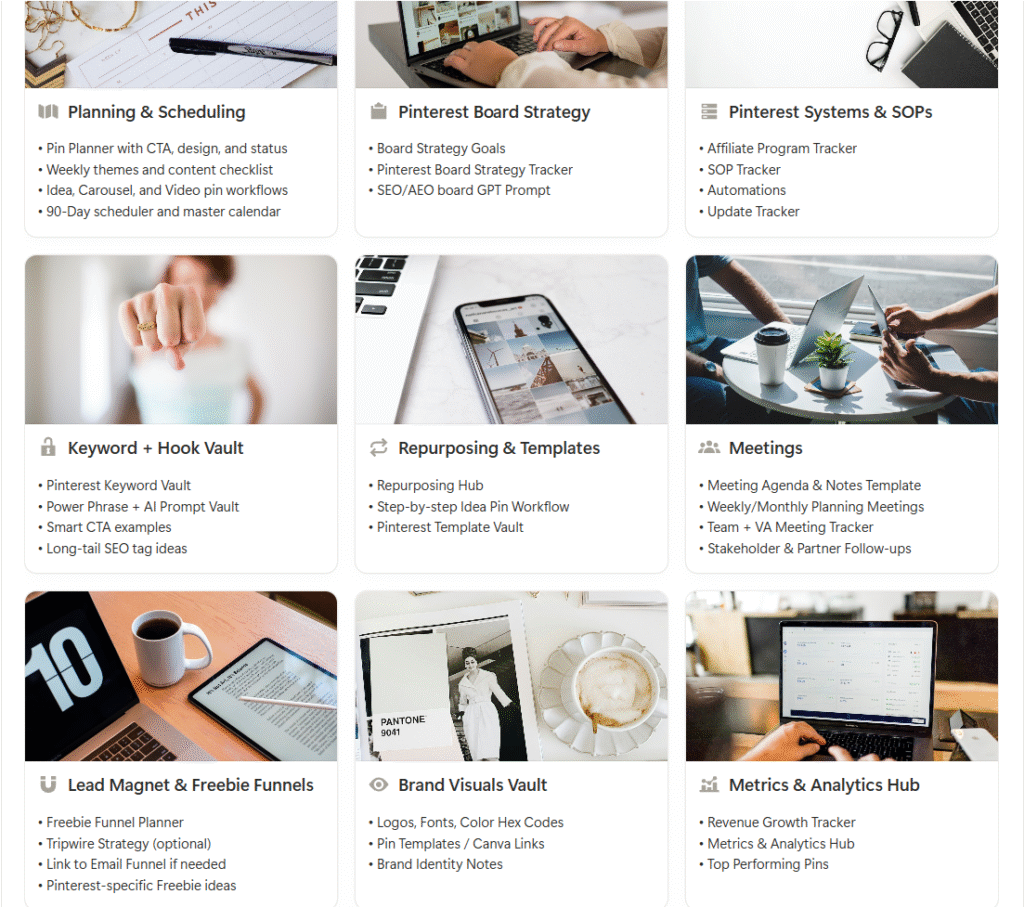
Pinterest Marketing Hub is a Notion Template that includes 9 fully built strategy hubs, each designed to support a core part of a sustainable Pinterest workflow. Every hub is pre-structured in Notion with clean dashboards, smart views, and internal templates, so you can plan intentionally, track what matters, and make clear decisions without starting from scratch.

Each hub is set up with structured databases, preset views, guided workflows, and supporting prompts.

Everything is templated, searchable, and easy to adapt as your strategy evolves.

Open each section below to explore what’s inside every hub:
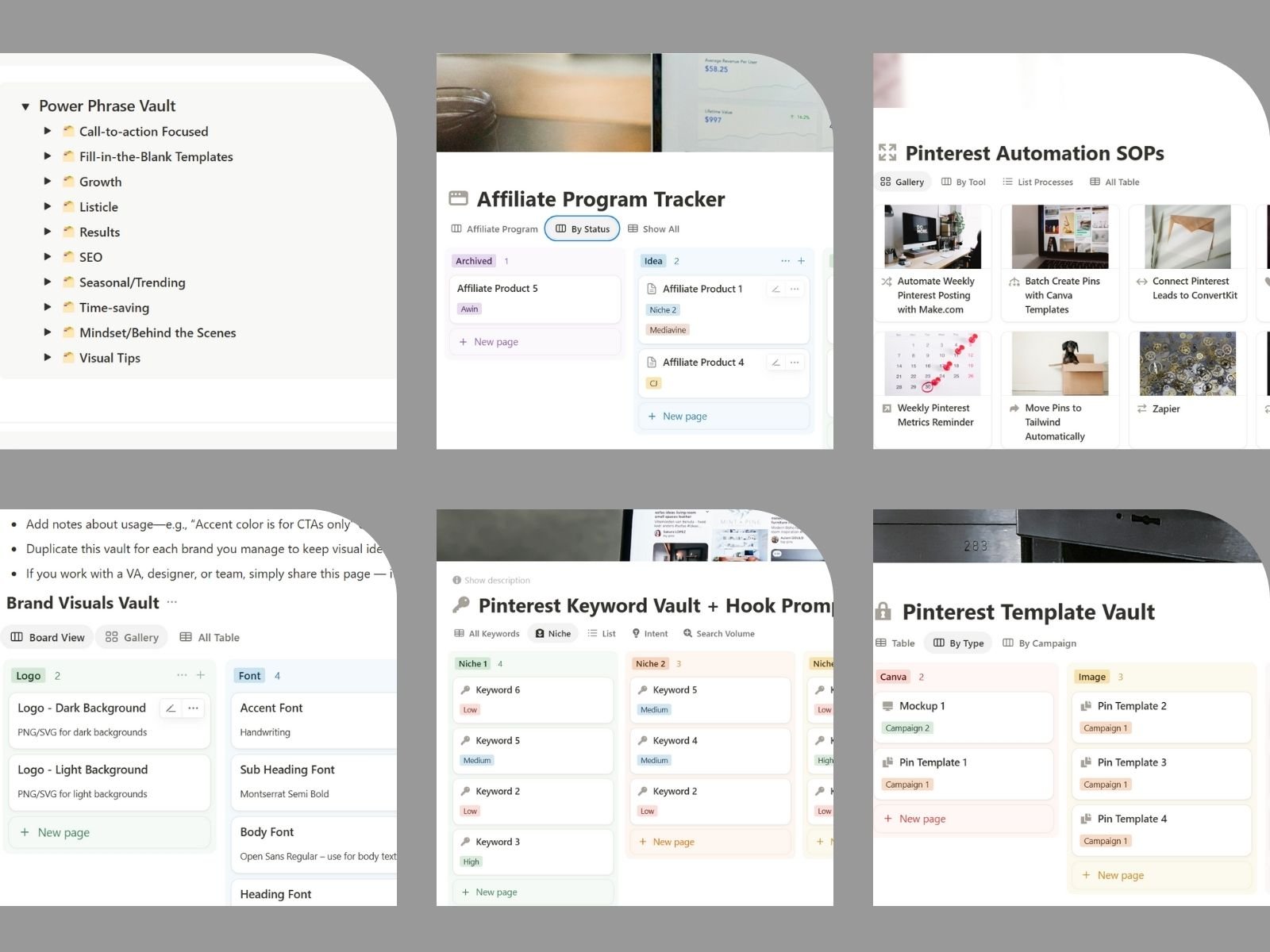
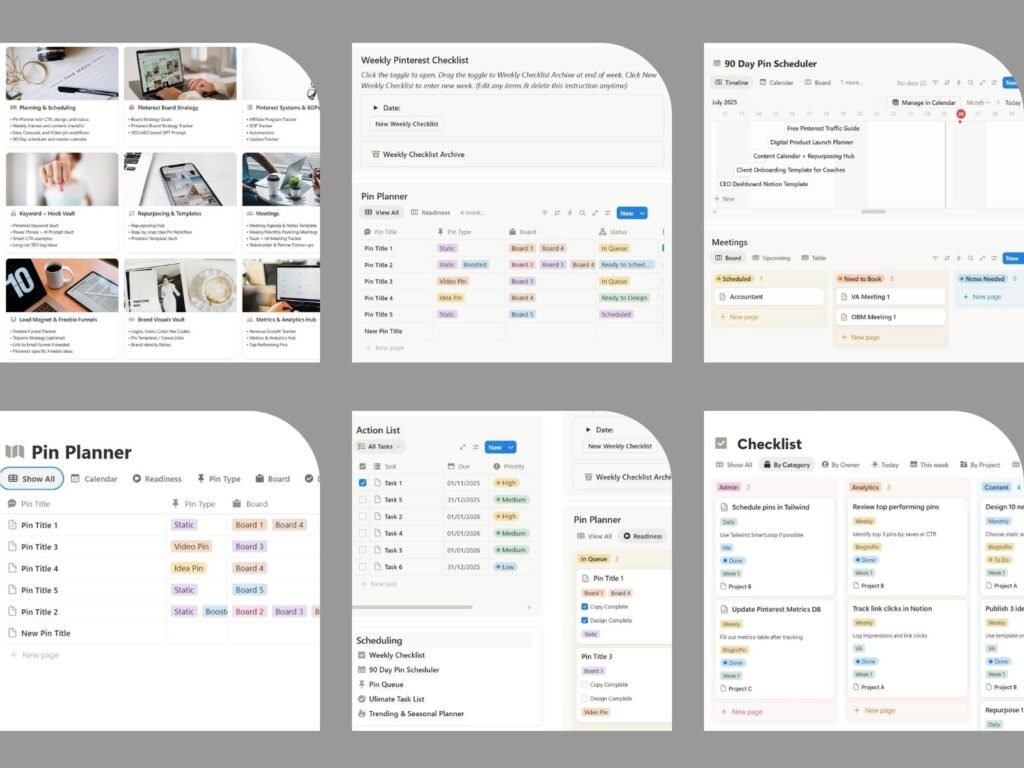
Plan with clarity, post with confidence. Bring your entire Pinterest planning workflow into one organised system. This hub helps you map content in advance, track progress week by week, and keep everyone aligned, without juggling spreadsheets or sticky notes.

  • Task Tracker for Pinterest content, admin, and analytics
  • Pin Planner with calendar view and status tracking
  • 90-Day Pin Scheduler for forward planning
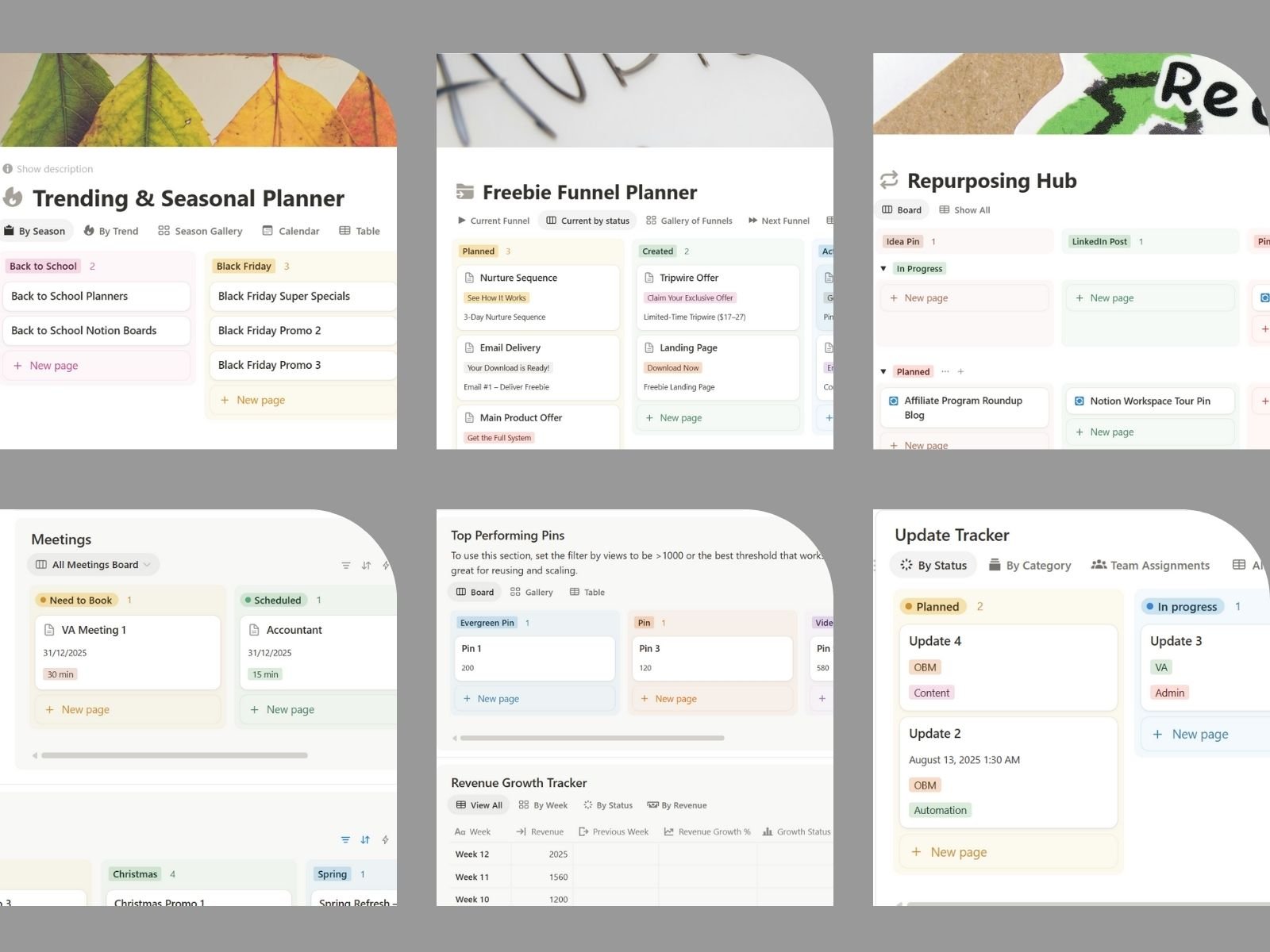
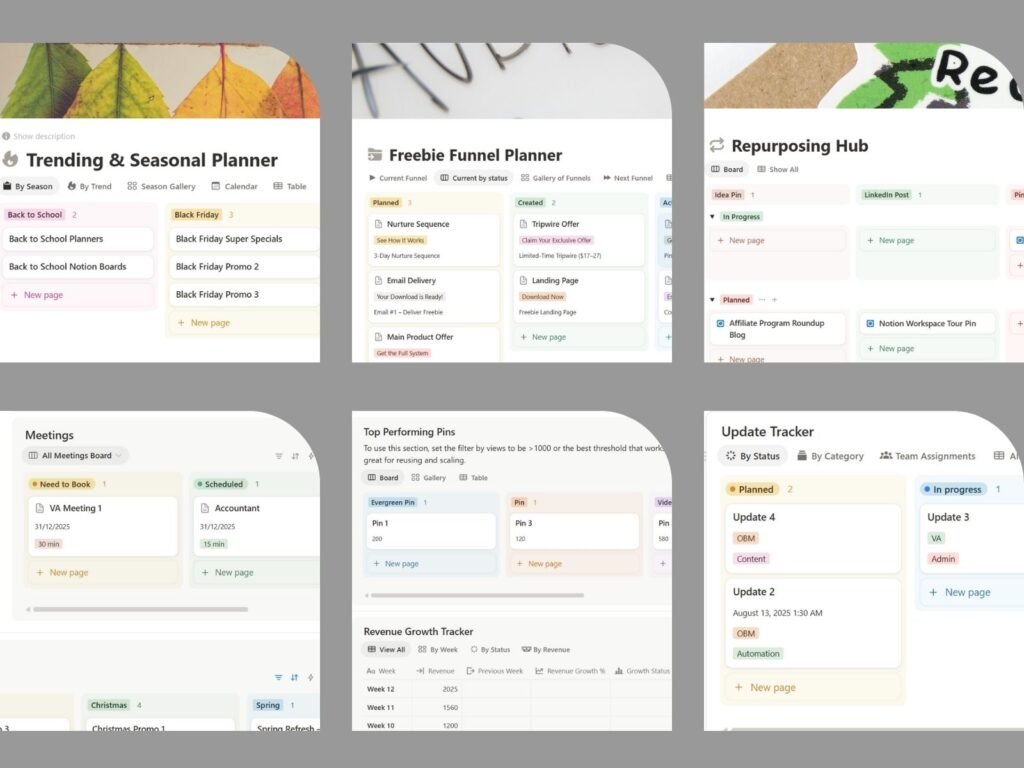
  • Trending & Seasonal Planner
  • Project Planner for campaigns and initiatives
  • Priority lists for weekly focus
  • Notes area for planning, ideas, and decisions
  • Central links & files area for quick access

Define, organise, and optimise your boards with intention.
Set clear board goals, structure boards for SEO and audience experience, and track progress in one place, supported by AI prompts that help you make confident, data-led content decisions.

  • Board strategy goals aligned to your content pillars
  • SEO-optimised board titles and descriptions
  • Clear board structure that supports visibility and offers
  • Guidelines for balancing owned and curated content
  • Board Strategy Tracker with links, status, and pin types
  • AI-supported prompts for board SEO, sections, and pins
  • Quick-access links to boards, dashboards, and references
  • Priority list for Boards
  • Notes area for planning, ideas, and decisions

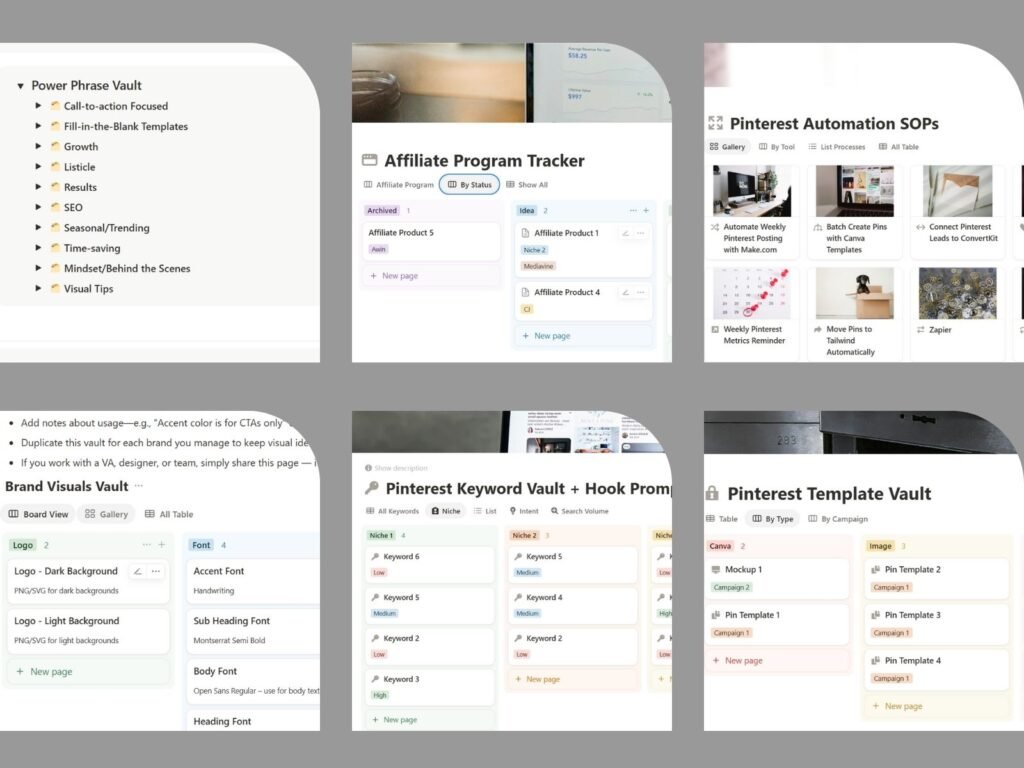
Build repeatable systems for Pinterest. This hub documents how your Pinterest operation works as it grows. It gives you a clear place to track affiliate programs, processes, automations, and changes so you can delegate confidently and maintain consistency over time.

  • Affiliate Program Tracker
  • Track networks, products, status & links
  • SOP Tracker for Pinterest workflows and processes
  • Automations overview (what runs, where, and why)
  • Update Tracker
  • Log changes, experiments, and improvements
  • Priority lists for focus and review
  • Notes space for decisions, learnings, and documentation
  • Central links & files for quick access

Build visibility first. Write pins that get clicked.
This hub brings your Pinterest keyword research, hooks, and AI prompts into one organised system so every pin is grounded in search intent and written to perform.

  • Hook library mapped to keywords and content types
  • Power Phrase Vault for CTAs, scroll-stoppers, and headlines
  • Keyword Vault
  • Keyword intent, niche, and search volume tracking
  • AI prompts
  • Research, hooks, and pin optimisation
  • Checklists for weekly, monthly, and content workflows
  • Notes area for keyword insights and performance learnings
  • Central links to keyword tools and reference resources

Work smarter with every piece of content. Turn one idea into multiple high-performing pins without reinventing the wheel. This hub helps you plan, repurpose, and reuse content across formats using clear workflows and ready-to-use templates, so your output increases without burnout.

  • Repurposing board – track across pin types and platforms
  • Step-by-step Idea Pin workflow (from concept to publish)
  • Content repurposing templates for consistent output
  • Pinterest Template Vault for reusable design formats
  • Optional VA handoff and workflow add-ons
  • Notes and usage guidance for optimisation over time

Keep meetings focused, decisions clear, and follow-ups visible.
This hub gives you one place to plan, run, and review meetings without losing actions, context, or momentum.

  • Meetings board with clear status tracking
  • Priority list for focused discussions
  • Structured meeting notes and decisions log
  • Action items with owners and due dates
  • Reusable meeting agenda & notes template
  • Central links and files for quick access

Turn Pinterest traffic into subscribers, customers, and revenue. This hub helps you plan, build, and manage Pinterest-driven lead magnets and funnels in one clear system. Map each funnel stage, track progress, connect tools, and reuse proven templates so nothing slips through the cracks.

  • Freebie funnel planner with clear funnel stages
  • Lead magnet & CTA mapping for Pinterest traffic
  • Funnel element tracking (opt-ins, emails, pages, pins)
  • Status views for current, planned, and future funnels
  • Tool tracking – posting, email, landing pages & payments
  • Template suggestions – landing pages, emails, and tripwires
  • GPT prompts to generate copy and funnel assets faster
  • Priority list for funnels
  • Notes list

Keep your Pinterest visuals consistent, on-brand, and easy to reuse. This hub stores all your core brand visual assets in one place so every pin looks intentional and recognisable. Quickly access logos, fonts, colours, and design elements to maintain visual consistency across all Pinterest content.

  • Brand Guidelines
  • Logo files
  • Brand font stack
  • Brand Colours – primary, secondary, neutral, and accent
  • Design elements like icons and patterns
  • Priority list for visual updates or refinements
  • Notes area for brand guidelines and visual rules
  • Notes & Links for brand guidelines

Track what matters, spot trends early, and make confident decisions based on real data. This hub gives you a clear view of Pinterest performance, traffic, and revenue growth without jumping between tools.

  • Priority list for analytics focus and review
  • Pinterest Metrics Tracker – pins, impressions, clicks, saves
  • Revenue Growth Tracker
  • Analytics Embeds – Google Analytics, Metricool, and forms
  • Weekly Performance Reviews
  • Notes & Insights for tracking patterns, tests, and learnings
  • Quick Links & Files for dashboards and reporting tools
Built on Notion

Runs inside the world’s most flexible workspace.

Use Anywhere

Access on desktop, tablet, or mobile, wherever you work.

Intuitive Setup

Thoughtfully structured for easy onboarding

One-Time Purchase

No ongoing fees. Lifetime access to your template.

Get Clarity

Frequently Asked Questions

Find clear answers to the most common questions about Pinterest Marketing Hub, your Pinterest Notion Template system. Learn how it works, what’s included, and how to get started in minutes.

The system is designed to support both beginners and experienced Pinterest users. If you’re new, the structure guides your decisions. If you’re more advanced, it gives you a central place to refine, test, and scale what’s already working.

Pinterest Marketing Hub is designed for solopreneurs, creators, bloggers, and business owners who use Pinterest as a long-term growth channel and want a clear, structured system to manage it.

If you’re creating content regularly, growing traffic or affiliate income, or managing Pinterest for your own business or clients and want to stay strategic without feeling scattered or reactive Pinterest Marketing Hub was built for you.

This system helps you plan and manage Pinterest scheduling and automation clearly, but it doesn’t automate Pinterest for you. You’ll find dedicated areas for documenting automations, tracking workflows, and integrating tools so your Pinterest strategy stays organised and scalable without becoming messy or fragmented.

No. Pinterest Marketing Hub works fully on the free Notion plan. You can upgrade later if you want advanced features, but it’s not required to use the system as intended.

No. You don’t need prior Notion experience.
Pinterest Marketing Hub is fully pre-built and structured, so you’re not starting from a blank workspace. You can begin using it immediately by following the existing dashboards, views, and templates.
If you’re new to Notion, you’ll learn as you go. If you already use Notion, you’ll appreciate how clean, flexible, and customisable the system is.

Absolutely. Pinterest Marketing Hub has been carefully designed to be ready to use straight away, with minimal setup or customisation required.

Everything is fully editable inside Notion, so you can rename sections, remove what you don’t need, add your own workflows, or adapt the system as your strategy evolves.
You can use it exactly as it is or tailor it over time as your business grows.

Instant access. With just a few clicks, Pinterest Marketing Hub is added to your Notion workspace and ready to use within minutes of purchase.

Due to the digital nature of this product, refunds aren’t available. We trust that you’ll get value from Pinterest Marketing Hub as it is simple, intuitive, and useful, even if you only use some parts of it.

We welcome feedback and use it to improve future products. Please contact us if you have suggestions or questions.

Pinterest Marketing Hub is a Notion template, not software.

You receive a complete, fully built system exactly as shown at the time of purchase. It does not rely on ongoing updates, subscriptions, or feature releases to function.

The template is designed to be timeless, flexible, and adaptable, so you can evolve it as your strategy grows without waiting for updates or changes from us.

As with any Notion-based workspace, occasional Notion platform updates may change how certain elements look or behave over time. These changes are managed by Notion and are outside our control.

Pinterest Marketing Hub doesn’t promise overnight growth.
What it does provide is the structure required for consistent, strategic Pinterest marketing which is what drives long-term visibility, traffic, and momentum. It helps you track what’s working, refine decisions, and stay consistent over time.

Pinterest Marketing Hub is licensed for personal and internal business use only.

You’re welcome to use it to manage your own Pinterest strategy or your internal team workflows. However, it may not be shared, resold, redistributed, duplicated, or used as a client-facing deliverable, whether in full or in part.

This includes:

  • Sharing the template with clients
  • Selling or gifting copies
  • Using it as a white-label or bundled product
  • Teaching or redistributing the structure as your own system

All content remains the intellectual property of Clarity Templates.

Pinterest Marketing Hub is a Notion template that lives inside your own private Notion workspace. This means only you (and anyone you intentionally share access with) can view or edit your information.

We recommend using Pinterest Marketing Hub for planning, strategy, workflows, and performance tracking, not for storing sensitive information such as passwords, API keys, or personal identification details. For those, use a dedicated password manager or secure storage tool.

Your Notion workspace security and access controls determine who can see or interact with your data, giving you full control over how Pinterest Marketing Hub is used.

Instant access. No waiting. No overwhelm.

Skip the $1,000 course. Build Pinterest momentum with one powerful workspace.

Built for focused Pinterest growth
  • 9 fully built Pinterest strategy hubs
  • Planning, keywords, and visuals aligned
  • Workflows, funnels, and analytics connected
  • Built for sustainable Pinterest growth
  • Works on the free Notion plan
  • Ready to use from day one
  • Fully customisable & flexible
  • Desktop, tablet, and mobile friendly
  • Start immediately after purchase
COMPLETE PINTEREST MARKETING SYSTEM

Ready to bring calm, clarity, and consistency to your Pinterest strategy?

Pinterest Marketing Hub Notion Template brings structure, clarity, and repeatable workflows to every part of your Pinterest marketing, so you can plan with confidence and grow without overwhelm.

Want the Upgrade to get both Pinterest Marketing Hub & Clarity Business OS?

Upgrade to the Full Clarity System

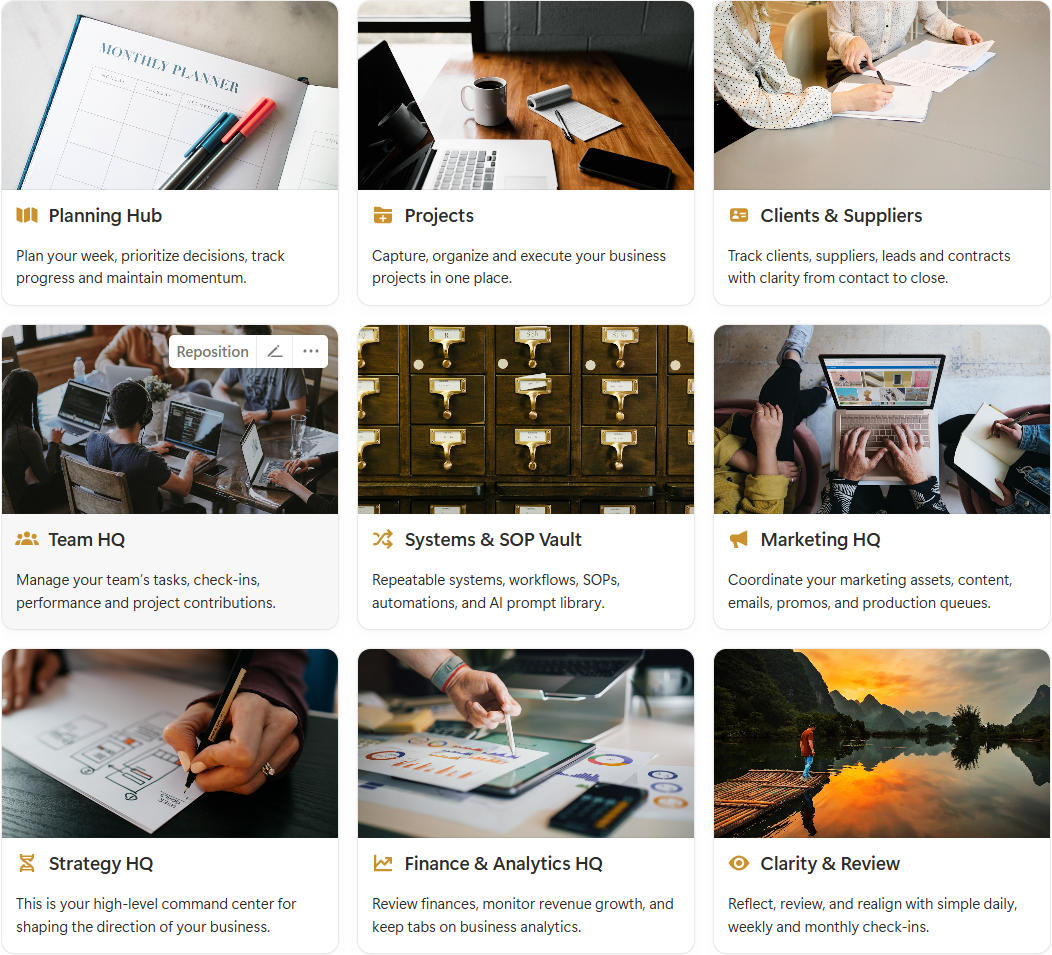
Pair Pinterest Marketing Hub with Clarity Business OS to run your business from one clear, cohesive system. Excellent value.
Clarity Business OS

Skip weeks of Notion setup

Start with a system that already works together. This bundle brings your Pinterest strategy and business operations into one cohesive Notion workspace, so your business is supported, without having to piece templates together.

  • Cohesive Notion templates system
  • Calm, intentional design throughout
  • Thorough systems, already connected
UPGRADE TO THE BUNDLE & SAVE

The fast, cost-effective way to get a complete Notion system

Built with hundreds of pre-configured settings, databases & views so you skip setup and move straight into momentum.